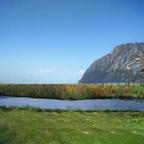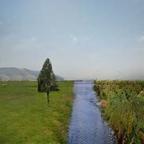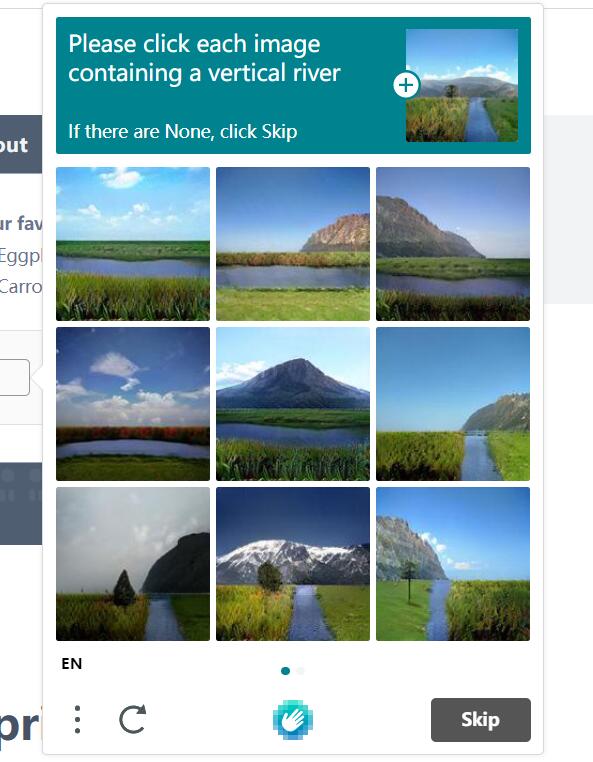
CAPTCHA samples for the vertical river task

Introduction

Recently, hCaptcha1 underwent an update, shifting from previous object recognition to selecting vertical rivers within images. As shown in the image above, screenshot from 1.

To be honest, the first glance revealed it was done by some generative models because the image features are obvious: some areas are particularly blurry, and the generation logic is quite nonsensical. Initially, I thought it was an application of GPT-3, converting image descriptions into text, but later deemed it unreasonable due to the lack of imagination. Moreover, the distribution of elements is extremely obvious; everything is straight and unnatural. It must be some work on generating raw images from semantic images, such as NVIDIA’s artistic creations.

Before starting, I never imagined that NVIDIA’s GANs could be applied to the CAPTCHA field, nor did I expect that after the upgrade, it would be downgraded from object detection to requiring only image processing to pass.

Main Content

@QIN2DIM previously wrote about a hCaptcha-challenger2 project using YOLOv5 to handle this. After the update, they released a dataset vertical_river3, so I used image processing to quickly implement a Demo.

First, the image features are very obvious, mainly consisting of several elements: sky, mountains, grass, and water in the background, with very distinct divisions and distributions, all appearing as separate blocks.

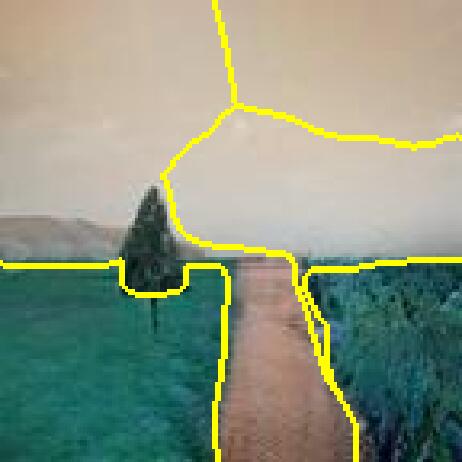
My initial idea was to apply some filters, such as 高斯滤波, and then directly use slic for superpixel segmentation. The expected result was that superpixels would group each color block into a single superpixel. However, the final result was not ideal because superpixel segmentation relies heavily on factors other than color, and limiting the number of superpixels causes larger color ranges to be grouped into one class. Here is an example.
SLIC image segmentation results

As you can see, there are many issues: some parts that should be segmented were not correctly divided and instead clustered together, while some parts that shouldn’t be segmented were clustered together due to the filtering effect.

After repeatedly adjusting parameters with no success, I felt that this segmentation approach should not treat a single superpixel as a color block, but rather use the superpixel segmentation results as a reference or boundary for segmentation.

I originally wanted to try some edge enhancement algorithms but couldn’t find a suitable one because I observed that most CAPTCHA images have very blurry boundaries. Therefore, preserving edge information during segmentation is crucial. When selecting filters, it is essential to prioritize whether the filter can correctly preserve edge information rather than blurring the edges. Among them, 双边滤波 is an excellent choice, and 均值偏移 is also a good option.

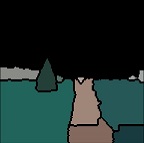
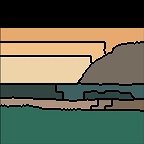
After these two steps, you have become myopic, but the edges remain relatively clear. Now you can proceed with color block segmentation. Here, I mainly used scikit-image.graph.rag_mean_color to obtain average color blocks, primarily referencing the official RAG Merge4 implementation.

The judgment condition was written simply: I only checked if the last row contains three or more color blocks. If so, I consider that the middle is separated by a river, indicating the presence of a vertical river. I feel this judgment condition could still be optimized, but after testing, out of about 100 images, only around 2 were misclassified. Even without optimization, this accuracy is acceptable.

The final effect is as follows:
Example of region adjacency graph segmentation results
Example of region adjacency graph processing

Another set of region adjacency graph segmentation results
Region adjacency graph processing results

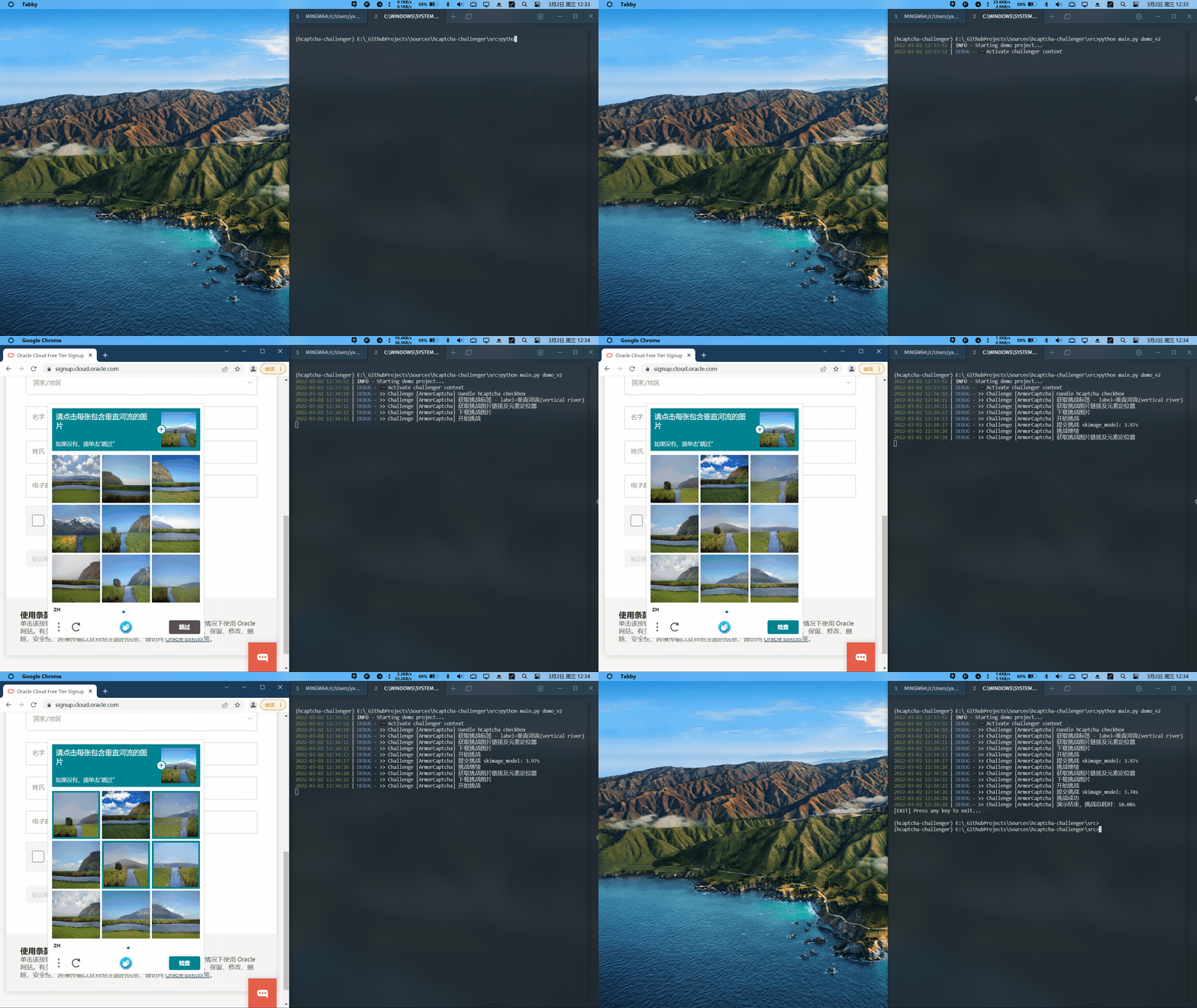
I submitted a PR, and the effect after @QIN2DIM merged it is as follows:

View original GIF

Code used for testing and visualization:

  1
  2
  3
  4
  5
  6
  7
  8
  9
 10
 11
 12
 13
 14
 15
 16
 17
 18
 19
 20
 21
 22
 23
 24
 25
 26
 27
 28
 29
 30
 31
 32
 33
 34
 35
 36
 37
 38
 39
 40
 41
 42
 43
 44
 45
 46
 47
 48
 49
 50
 51
 52
 53
 54
 55
 56
 57
 58
 59
 60
 61
 62
 63
 64
 65
 66
 67
 68
 69
 70
 71
 72
 73
 74
 75
 76
 77
 78
 79
 80
 81
 82
 83
 84
 85
 86
 87
 88
 89
 90
 91
 92
 93
 94
 95
 96
 97
 98
 99
100
101
102
103
104
105
106
107
108
109
110
111
112
113
114
115
116
117
118
119
120
121
122
123
124
125
126
127
128
129
130
131
#!/usr/bin/env python
# -*- coding: utf-8 -*-
# @File    :   src\services\hcaptcha_challenger\river_challenger.py
# @Time    :   2022-03-01 20:32:08
# @Author  :   Bingjie Yan
# @Email   :   bj.yan.pa@qq.com
# @License :   Apache License 2.0

import cv2
import numpy as np

import skimage
from skimage.morphology import disk
from skimage.segmentation import watershed, slic, mark_boundaries
from skimage.filters import rank
from skimage.util import img_as_ubyte
from skimage.color import rgb2gray, label2rgb
from skimage.future import graph
from scipy import ndimage as ndi
import matplotlib.pyplot as plt


def _weight_mean_color(graph, src, dst, n):
    """Callback to handle merging nodes by recomputing mean color.

    The method expects that the mean color of `dst` is already computed.

    Parameters
    ----------
    graph : RAG
        The graph under consideration.
    src, dst : int
        The vertices in `graph` to be merged.
    n : int
        A neighbor of `src` or `dst` or both.

    Returns
    -------
    data : dict
        A dictionary with the `"weight"` attribute set as the absolute
        difference of the mean color between node `dst` and `n`.
    """

    diff = graph.nodes[dst]['mean color'] - graph.nodes[n]['mean color']
    diff = np.linalg.norm(diff)
    return {'weight': diff}


def merge_mean_color(graph, src, dst):
    """Callback called before merging two nodes of a mean color distance graph.

    This method computes the mean color of `dst`.

    Parameters
    ----------
    graph : RAG
        The graph under consideration.
    src, dst : int
        The vertices in `graph` to be merged.
    """
    graph.nodes[dst]['total color'] += graph.nodes[src]['total color']
    graph.nodes[dst]['pixel count'] += graph.nodes[src]['pixel count']
    graph.nodes[dst]['mean color'] = (graph.nodes[dst]['total color'] /
                                      graph.nodes[dst]['pixel count'])


class RiverChallenger(object):
    def __init__(self) -> None:
        pass

    def challenge(self, img_stream):
        img_arr = np.frombuffer(img_stream, np.uint8)
        img = cv2.imdecode(img_arr, flags=1)
        height, width = img.shape[:2]

        # # filter
        img = cv2.pyrMeanShiftFiltering(img, sp=10, sr=40)
        img = cv2.bilateralFilter(img, d=9, sigmaColor=100, sigmaSpace=75)

        # # enhance brightness
        # img_hsv = cv2.cvtColor(img, cv2.COLOR_BGR2HSV)
        # img_hsv[:, :, 2] = img_hsv[:, :, 2] * 1.2
        # img = cv2.cvtColor(img_hsv, cv2.COLOR_HSV2BGR)

        labels = slic(img, compactness=30, n_segments=400, start_label=1)
        g = graph.rag_mean_color(img, labels)

        labels2 = graph.merge_hierarchical(labels,
                                           g,
                                           thresh=35,
                                           rag_copy=False,
                                           in_place_merge=True,
                                           merge_func=merge_mean_color,
                                           weight_func=_weight_mean_color)

        # view results
        out = label2rgb(labels2, img, kind='avg', bg_label=0)
        out = mark_boundaries(out, labels2, (0, 0, 0))
        skimage.io.imshow(out)
        skimage.io.show()
        print(np.unique(labels2[-1]))

        ref_value = len(np.unique(labels2[-1]))
        return ref_value >= 3


if __name__ == '__main__':
    import os
    import sys
    sys.path.append(os.path.dirname(os.path.dirname(os.path.abspath(__file__))))

    # result_path = 'result.txt'
    # if os.path.exists(result_path):
    #     os.remove(result_path)

    # result_file = open(result_path, 'w')
    result_file = sys.stdout

    base_path = os.path.join('database', '_challenge')
    list_dirs = os.listdir(base_path)
    for dir in list_dirs[:1]:
        print(dir, file=result_file)
        for i in range(1, 10):
            img_filepath = os.path.join(base_path, dir, f'挑战图片{i}.png')

            with open(img_filepath, "rb") as file:
                data = file.read()

            rc = RiverChallenger()
            result = rc.challenge(data)
            print(f'挑战图片{i}.png:{result}', file=result_file)

Conclusion

Neural networks have made everything more complex, yet also simpler.

(Discussing the experience of a hCaptcha engineer seeing their project, developed over half a day, surpassed by a much simpler algorithm in less than a night?)