Preface
I’ve already shared two creations before: Taichi Voxel Challenge 20221
Recently, after finishing a few urgent tasks at hand, I got the itch to create something new hhh. I had several ideas, but ultimately decided to go with the PVZ theme first.
The PVZ project is still a WIP; I plan to refine it further later. If time permits, I might create a few more, but I’m about to defend my thesis 555.
Design Concept
Currently, the PVZ project only features the simplest Peashooter, but I encountered many issues during the process. First, let’s analyze the Peashooter’s structure!
The Peashooter roughly consists of the following parts: the main cannon barrel, eyes, stem, the bud at the back, and the leaves at the bottom.
Main Cannon Barrel: We can further break this down. It can be viewed as a cylinder, but with curved walls. Seems simple, right? We could directly represent the geometry using SDFs and build it! But I don’t know SDFs (x). Actually, this approach has some issues because the muzzle should be positioned lower, so I simply decomposed it into a sphere plus a few circles.
Eyes: No difficulty here. Simply subtract a rectangle from a sphere, place a black rectangle for the eye, and add a white rectangle for the highlight.
| |
Stem: This stem’s curve stumped me; I don’t know Bezier curves. So, I decided to simplify things and just use a sine function hhh, inspired by a work from a certain dragon 233. I defined the amplitude and only selected the parameter range of [0, PI].
| |
The Bud at the Back: Simply draw this as a curve.
Leaves at the Bottom: The original Peashooter has three leaves at the bottom—two large and one small—but that’s too complex. Here, I simplified it by drawing four leaves in four directions. However, leaves are irregular shapes, which are hard to represent… Then I had a flash of inspiration: draw one leaf ()! This looks very much like the overlapping region of two diagonal semicircles. So, I defined a starting point and direction, then used top-left/bottom-right or top-right/bottom-left as the centers and checked for the overlapping region. But this results in a flat shape. No problem! For the z-coordinate, I used the old method again: simply add two sine functions regarding x and y! (So clever, me)
| |
That concludes the Peashooter. The code to build the Peashooter is as follows:
| |
The rest is the lawn. Due to the grid limit, I couldn’t implement the original 6 * 9 setup, nor could I draw the fences on all four sides, so I just created a 6 * 6 scene. After finishing, it felt a bit off, so I added noise around the lawn to fix it.
| |
Finally, the line count was slightly over, but after compressing it a bit, it’s down to 99 lines!
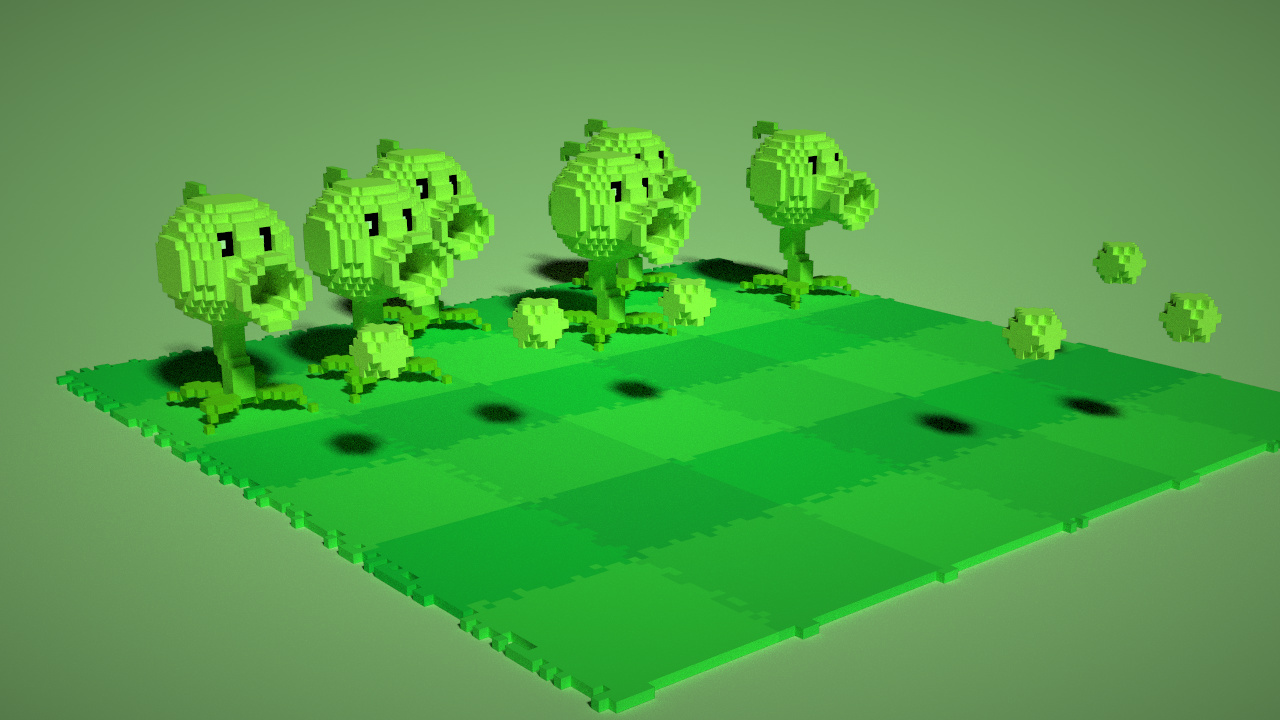
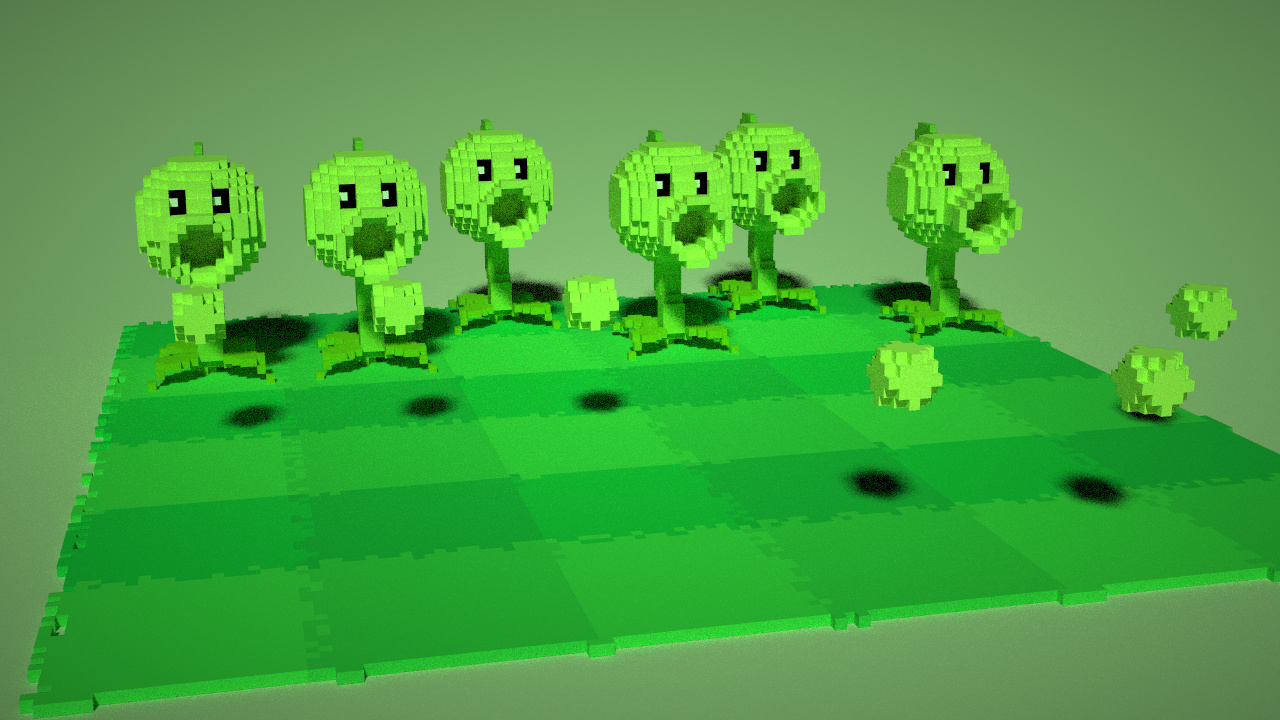
Conclusion
There are a few issues I still haven’t resolved –. First, I don’t know how to swap the dimensions of vec3 within @ti.func, for example, turning vec3(x, y, z) into vec3(z, y, x). Otherwise, I could have saved a few lines when building circles, as I was aiming for multi-directional circles, but I ultimately chose the most brute-force if algorithm.
Another small detail is that for circles and spheres, to make the circles rounder, I had to relax the boundary conditions, such as x * x + y * y <= r * r + eps. When dealing with spheres, sometimes an extra point appears at the top, so tightening the boundary conditions works better in that case.