Disclaimer
For technical sharing only. Users should be aware of technical risks and capable of taking responsibility for their own actions. This tutorial and the author assume no liability.
Preparation
First, a note on the preparation phase: most computers now support IPv6. If you open https://ipv6-test.com/ and do not see IPv6, it is likely because it is not enabled. You can try following the steps below to enable it:
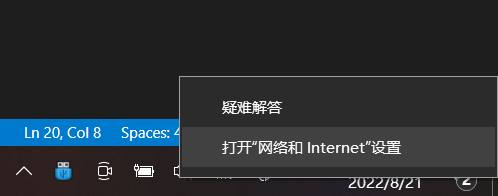
- Open “Network and Internet” settings
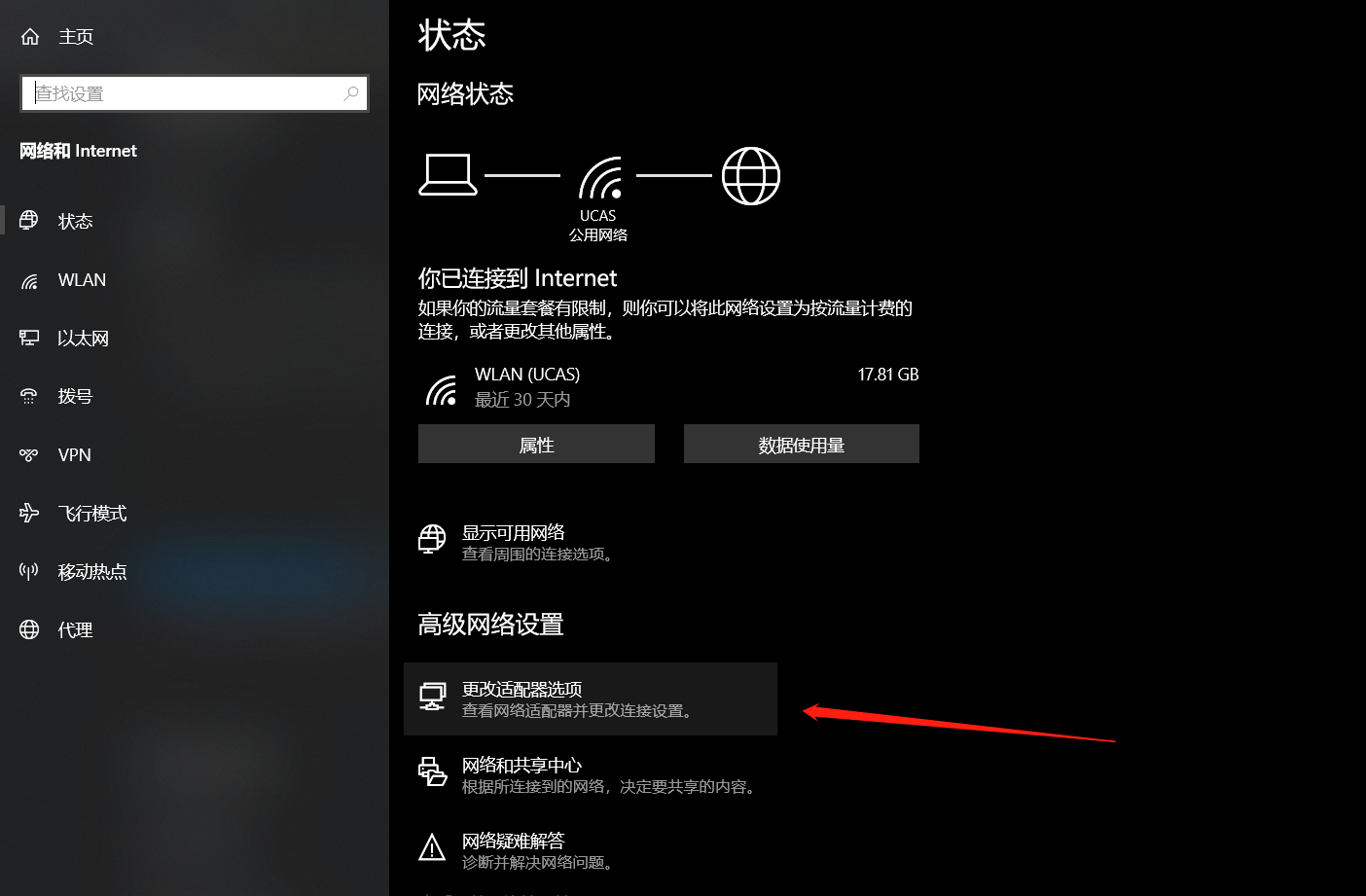
- Click “Change adapter options”
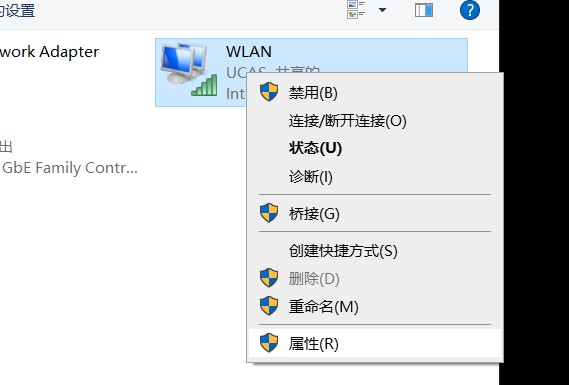
- Select the corresponding network and open “Properties”
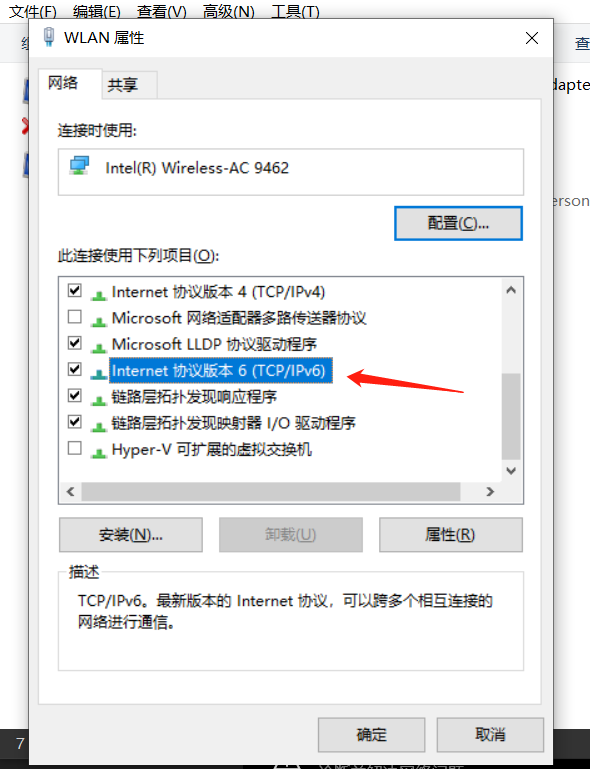
Using the Proxy
Refer to 1. The principle of this method is to use an IPv6 proxy to forward our traffic via IPv6 to the proxy, which then accesses the target services via IPv4/IPv6 and returns the response.
For the server configuration selected at Vultr, refer to the figure below.
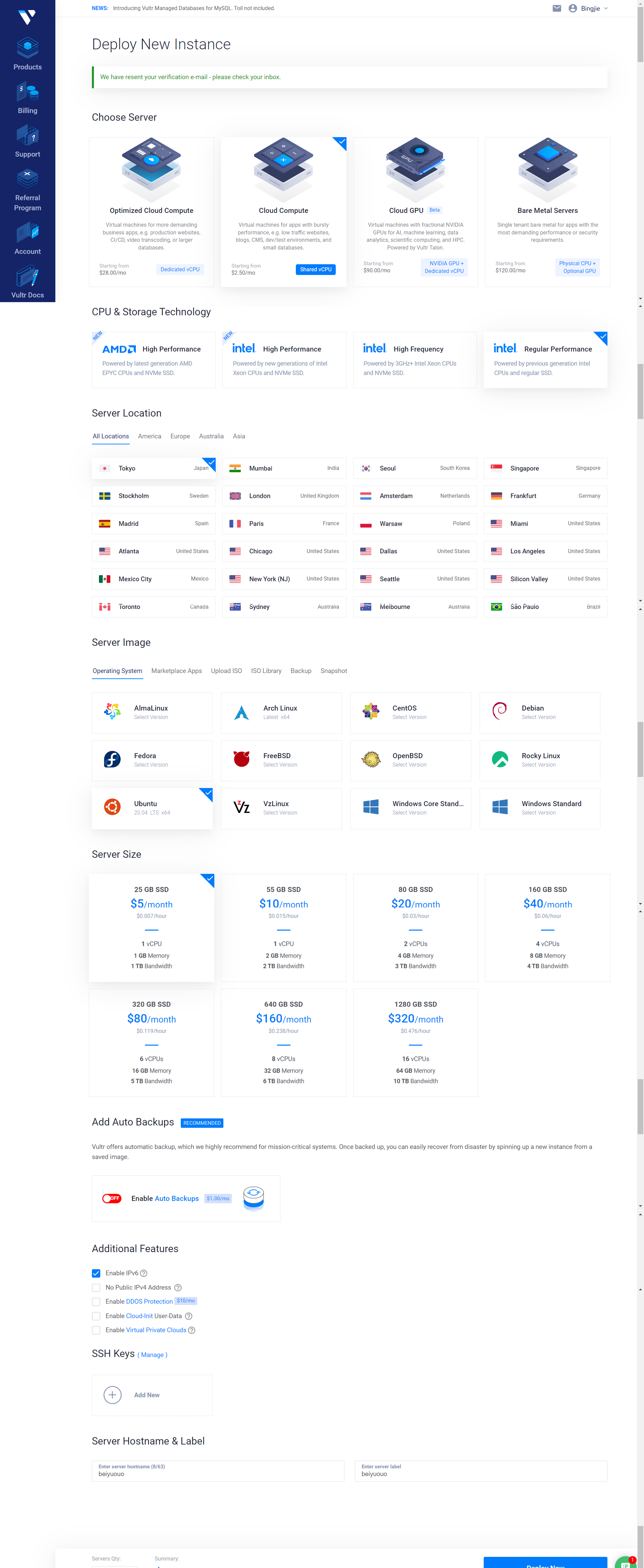
Here, the cost is $5 per month for 1 TB of traffic, which is elastic and can be destroyed and rebuilt. If several people share the cost, adding $1 allows an upgrade to 2 TB per month, and it seems the memory might also increase slightly. After purchase, you can find the root username and password under Products.
However, note that many IPs at Vultr have been banned due to abuse, so Google Scholar might be inaccessible. However, you can destroy and rebuild the instance without extra cost. After all, it takes about 5 minutes to set up.
If possible, I recommend trying the hysteria protocol; it is quite convenient, though I haven’t studied it in detail yet.
Additionally, proxy rules can be set to bypass the LAN. However, if domestic traffic is also proxied, you may be unable to send or receive messages unless you manually configure the proxy for QQ.
DNS64
This method is free but has limitations. However, it is sufficient to bypass Bilibili data usage, which saves the bulk of the data consumption hhh.
The bypass is mainly achieved via DNS64. Refer to 2 and 3. Simply put, IPv4 server addresses are resolved into IPv6 addresses. When a request for an AAAA record is made, only the A record and an address pointing to a server that performs IPv4-to-IPv6 conversion are returned, allowing access to IPv4 services via IPv6 addresses.
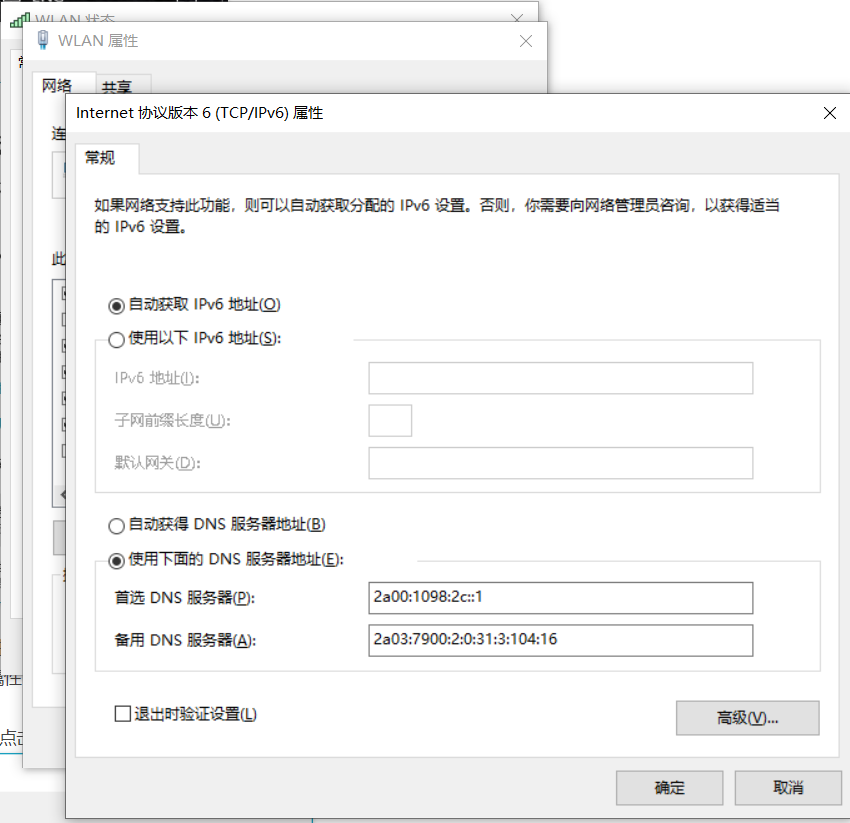
The method is simple: just double-click the IPv6 checkbox mentioned above to open it and manually configure the DNS to a DNS64 address.
Here I copy the addresses from 2:
| Provider | Country/City | DNS64 Service | NAT64 Prefix |
|---|---|---|---|
| Kasper Dupont | Finland/Helsinki | 2a01:4f9:c010:3f02::1 | 2a01:4f9:c010:3f02:64::/96 |
| Trex | Finland/Tampere | 2001:67c:2b0::4 | 2001:67c:2b0:db32::/96 |
| Trex | Finland/Tampere | 2001:67c:2b0::6 | 2001:67c:2b0:db32:0:1::/96 |
| level66.network | Germany/Frankfurt am Main | 2a09:11c0:f1:bbf0::70 | 2a09:11c0:f1:be00::/96 |
| Kasper Dupont | Germany/Nuremberg | 2a01:4f8:c2c:123f::1 | 2a01:4f8:c2c:123f:64::/96 |
| go6Labs | Slovenia | 2001:67c:27e4:15::6411 | 2001:67c:27e4:642::/96 |
| go6Labs | Slovenia | 2001:67c:27e4::64 | 2001:67c:27e4:64::/96 |
| go6Labs | Slovenia | 2001:67c:27e4:15::64 | 2001:67c:27e4:1064::/96 |
| go6Labs | Slovenia | 2001:67c:27e4::60 | 2001:67c:27e4:11::/96 |
| Kasper Dupont | Netherlands/Amsterdam | 2a00:1098:2b::1 | 2a00:1098:2b::/96 |
| Tuxis | Netherlands/Central | 2a03:7900:2:0:31:3:104:161 | 2a03:7900:6446::/96 |
| Kasper Dupont | UK/London | 2a00:1098:2c::1 | 2a00:1098:2c::/96 |
Multi-device Support
Sometimes the campus network is unstable, and smart devices like phones may experience disconnections. You can try enabling your computer’s mobile hotspot to share the internet with your phone, then configure a proxy IP on the phone to achieve network sharing.
I encountered an issue where the phone couldn’t connect to the hotspot; simply enable sharing in the properties.
To set up a WiFi proxy on iOS, tap the ‘i’ icon on the right, scroll to the bottom where you’ll find ‘Proxy’, and set the proxy to 电脑ip:端口.
To check your computer’s IP, use ipconfig /all to find the address corresponding to your mobile hotspot. If you’re using macOS or another Linux system, you can use ip addr or ifconfig for the query.
If you’re using v2RayN, first check 设置-参数设置 to enable 允许来自局域网的连接. Your port should then be 10809. If your v2RayN version is newer, it might have changed to 10811.
If you’re using SSR, open 右键小飞机-选项设置-本地代理 and enable 允许来自局域网的连接. You should see the port listed as 1080; just fill that in.
Here’s a CDN attached: https://dl.capoo.xyz/