A Note Before We Begin
This article primarily introduces methods for managing references and notes using Zotero and Notion.
I am a heavy Notion user; I handle my daily notes and schedule management entirely within Notion. Plus, Notion offers an education discount, allowing you to use it for free indefinitely, so you don’t need to worry too much about storage space. Also, I quite like how Notion handles images and formulas.
Following @YuYu’s recommendation, I tried using Zotero to manage my references. Discovering Notero for linking the two was just what I needed!
Step by step
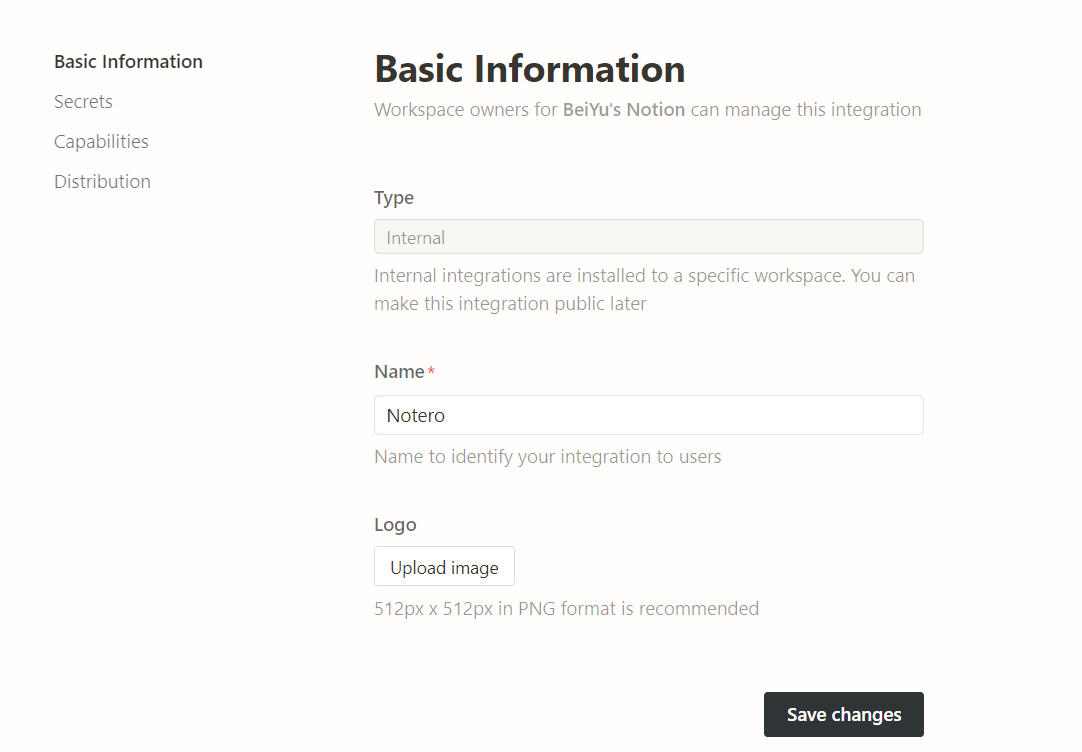
- First, create an integration. The name and logo can be anything you like.
Open https://www.notion.so/my-integrations,点击 Create
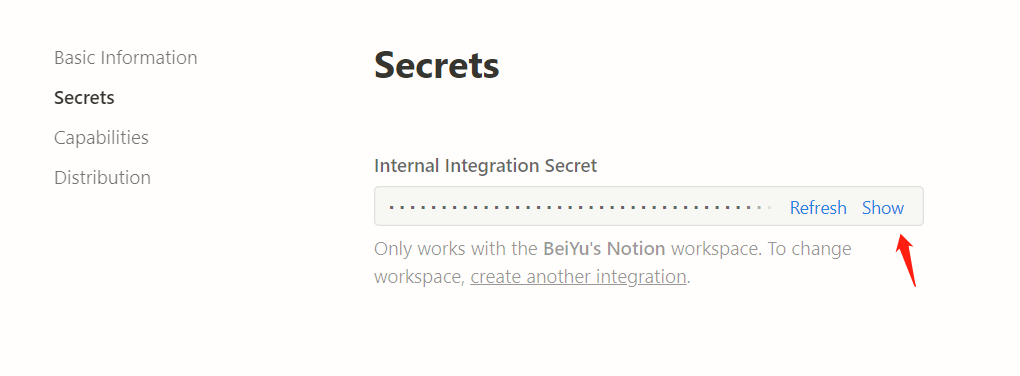
- Under Secrets, you will receive a token. Be careful not to leak this token.
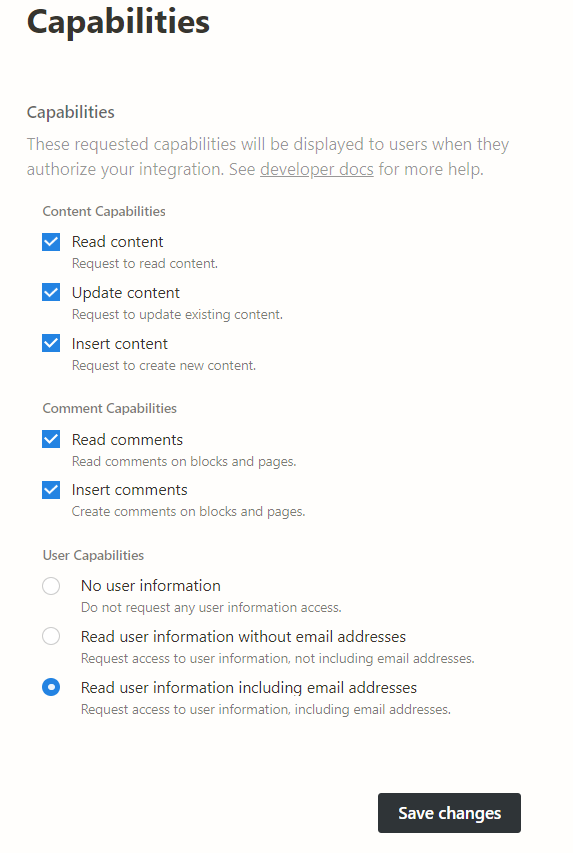
- Manage permissions
- Duplicate the reference template library (click Duplicate in the top right corner). My template has been modified, so I am not using this exact one. Readers can modify it according to their needs: you can add items or delete Chinese tags, but do not change the English tags.
- Establish the connection
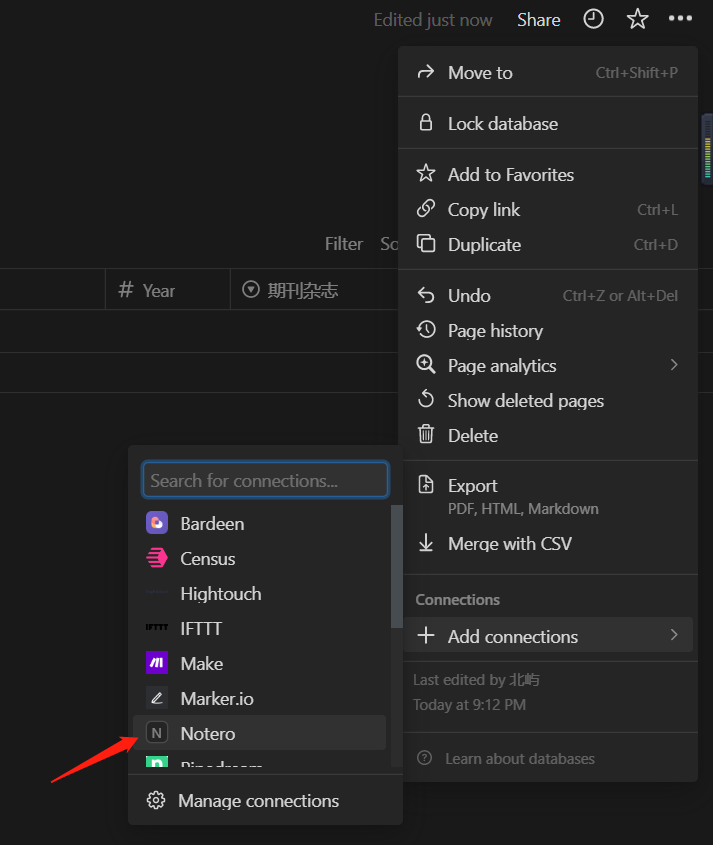
- Obtain the database ID. Click ‘Copy link’ and save the database ID.
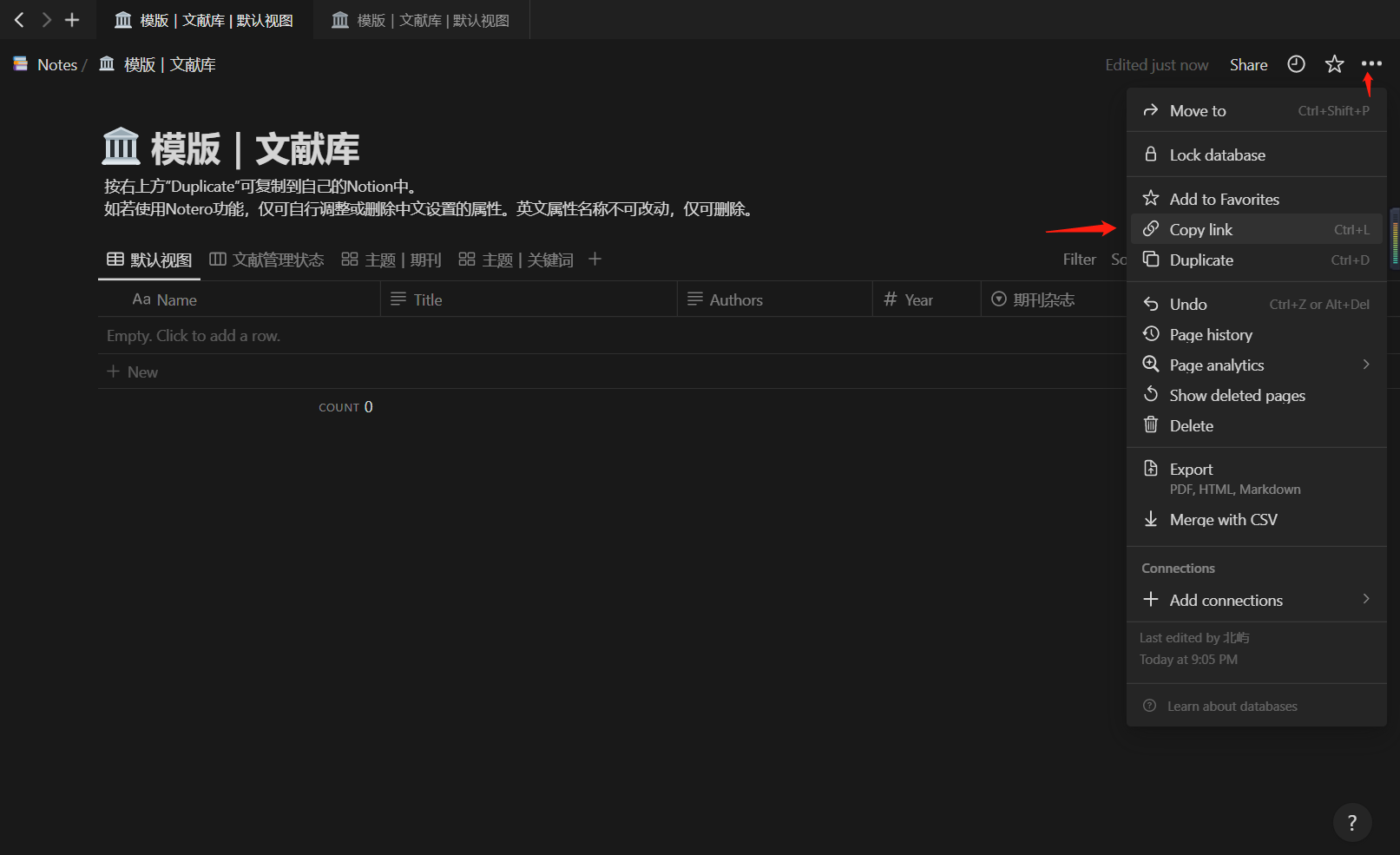
note
The Notion link format is as follows: ```text https://notion.so/{workspace_name}/{database_id}?v={view_id} ```
- Next, download Notero
Open Notero’s release and download the latest version. Note that the file extension must be .xpi.
- Install the plugin
First, readers need to install Zotero and Zotero Connector. Then, after opening Zotero, go to
Tools - Add-ons - the small gear icon in the top right - Install Add-ons from file, and select the downloaded .xpi file.
- Configure Notero
Simply fill in the information from earlier.
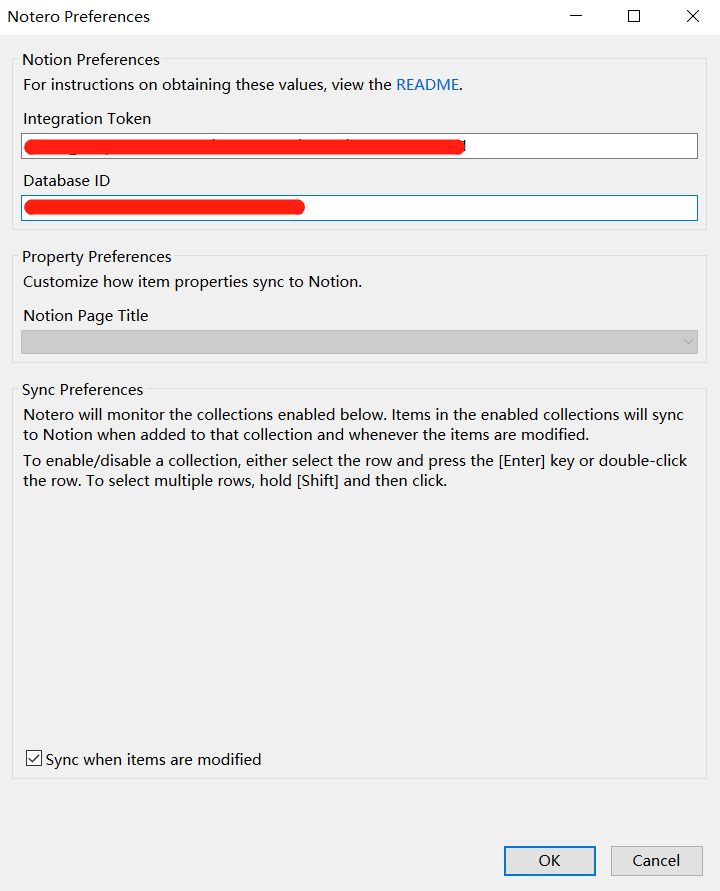
- All done~! Right-click a folder or a single item, and you will see ‘Sync Item to Notion’!
It took me about half a day to complete the migration of my notes QAQ. I hope this will streamline my workflow in the future hhh
FAQ
I encountered one issue: when saving a reference, I got the error message ‘An error occurred while saving this item,’ indicating a translator error. I downloaded the latest translator for Zotero, as well as some Chinese translator, but the problem persisted. Finally, I realized I had installed Zotero a long time ago and the version was far too outdated. Updating it solved the issue hhh
References
Sources: 1.